
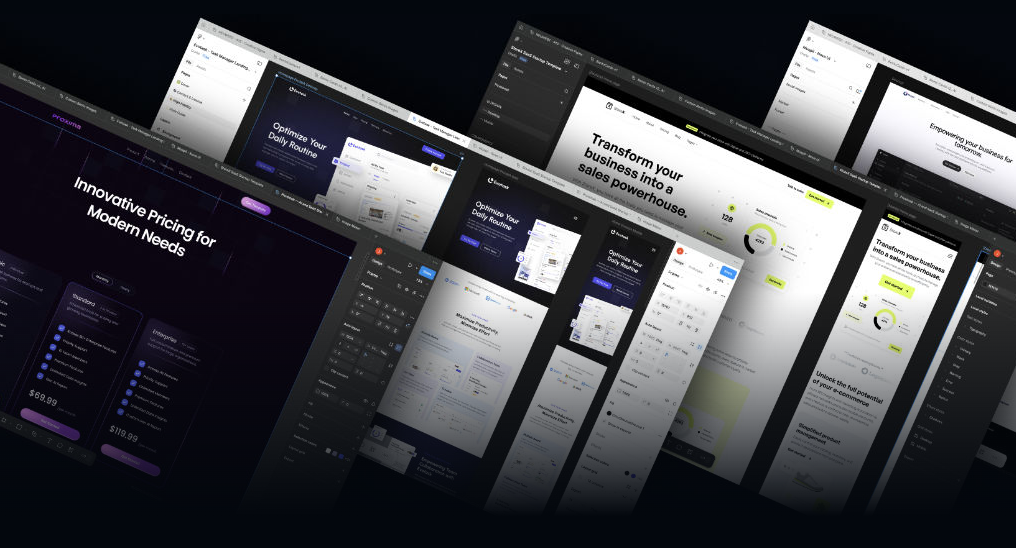
Lytbox – Figma Mastery For Web Designers
$499.00 Original price was: $499.00.$70.00Current price is: $70.00.
- 24/7 Contact Support & Telegram - Ecomkevin_1
- You Can Request Any Courses
- Original Courses HD Qualite and links updated
Guaranteed Safe Checkout

Description
Lytbox – Figma Mastery For Web Designers
In today’s digital-first world, web design is no longer just about making beautiful layouts. It’s about creating user-centered experiences, scalable design systems, and developer-friendly interfaces. Lytbox – Figma Mastery For Web Designers is built for designers who want to move beyond basic wireframes and become highly skilled professionals capable of delivering modern, conversion-focused websites.
This comprehensive program focuses on practical learning, real-world workflows, and advanced Figma techniques that help you design faster, smarter, and more efficiently.
Whether you’re a beginner entering the design industry or an intermediate designer looking to sharpen your skills, this training provides a structured roadmap to mastering Figma for professional web design.
Why Figma Is Essential for Modern Web Designers
Figma has become the industry standard for UI/UX design. Companies, agencies, startups, and freelancers rely on it because of its cloud-based collaboration, powerful components, and scalable design systems.
Here’s why mastering Figma is critical:
-
Real-time collaboration with teams and developers
-
Auto Layout for responsive design
-
Components and Variants for scalable systems
-
Prototyping for interactive presentations
-
Design system creation and management
-
Developer handoff with inspect tools
This course ensures you not only understand the tools but also know how to apply them in real client projects.
What You Will Learn
1. Complete Figma Fundamentals
The foundation starts with understanding the Figma interface, frames, layers, grids, typography, and spacing systems. You’ll learn how to:
-
Structure design files professionally
-
Use layout grids for alignment
-
Apply typography hierarchy correctly
-
Maintain visual consistency
-
Optimize workflow using shortcuts
By the end of this section, you’ll confidently navigate and design inside Figma without confusion.
2. Responsive Web Design with Auto Layout
Responsive design is not optional anymore. Websites must adapt to desktops, tablets, and mobile screens.
You will master:
-
Auto Layout for flexible containers
-
Padding, spacing, and constraints
-
Building fully responsive sections
-
Designing mobile-first layouts
-
Creating reusable responsive components
This skill alone dramatically increases your value as a web designer.
3. Advanced Components & Variants
Design systems are the backbone of professional web projects. Instead of redesigning buttons and sections repeatedly, you’ll build reusable components.
Inside the program, you’ll learn:
-
Creating master components
-
Using variants for states (hover, active, disabled)
-
Organizing design libraries
-
Scaling UI kits
-
Maintaining consistency across large projects
This reduces design time and increases productivity significantly.
4. Real Website Design Projects
Theory is not enough. This course focuses heavily on real-world projects.
You’ll design:
-
Landing pages
-
SaaS websites
-
Portfolio sites
-
E-commerce layouts
-
Agency websites
Each project is structured to simulate real client requirements, helping you build a professional portfolio.
5. UX Principles & Conversion Design
Great design is not just about aesthetics — it’s about solving user problems.
You’ll understand:
-
User journey mapping
-
Wireframing process
-
Visual hierarchy
-
CTA placement strategies
-
Conversion optimization techniques
-
Psychological triggers in web design
These skills help you design websites that not only look good but also generate results.
6. Prototyping & Client Presentation
Presenting your design professionally is just as important as creating it.
You’ll learn:
-
Interactive prototyping
-
Creating smooth transitions
-
Micro-interactions
-
Sharing links for client review
-
Collecting feedback efficiently
This ensures your workflow is smooth and professional.
7. Developer Handoff & Collaboration
Many designers struggle during handoff. This program teaches:
-
Clean file organization
-
Naming conventions
-
Using inspect mode
-
Exporting assets correctly
-
Communicating design specs
This makes you developer-friendly — a huge advantage in agency and freelance environments.
Who Is This Course For?
This training is ideal for:
-
Beginner web designers
-
Graphic designers shifting to UI/UX
-
Freelancers wanting higher-paying clients
-
Agency designers
-
Students entering digital careers
-
Entrepreneurs building their own websites
Even if you’ve used Figma before, the structured workflow and system-based approach will significantly improve your design quality.
Key Benefits of Lytbox – Figma Mastery For Web Designers
✔ Step-by-step structured learning
✔ Real-world web projects
✔ Advanced Auto Layout mastery
✔ Professional design system creation
✔ Portfolio-ready case studies
✔ Faster workflow techniques
✔ Developer collaboration training
This isn’t just another tool tutorial — it’s a complete transformation into a professional web designer.
How This Course Helps Freelancers Earn More
If you’re a freelancer, mastering Figma can directly increase your income.
Here’s how:
-
Deliver projects faster
-
Charge premium rates for UI/UX
-
Offer responsive web design services
-
Create scalable design systems
-
Reduce revision cycles
-
Present prototypes professionally
Clients are willing to pay more for designers who understand UX, systems, and business goals.
Building a Strong Portfolio
A powerful portfolio separates beginners from professionals.
Inside this training, you will:
-
Design complete website case studies
-
Document your process
-
Showcase wireframes and final designs
-
Present before/after improvements
-
Demonstrate UX thinking
This makes your portfolio attractive to agencies and high-paying clients.
Structured Learning Path
The course follows a logical progression:
-
Figma basics
-
Layout systems
-
Components & variants
-
Responsive design
-
Real website builds
-
UX and conversion strategy
-
Client workflow & handoff
This step-by-step system ensures you don’t feel overwhelmed.
Practical Approach Over Theory
Many tutorials only show tools. This program focuses on implementation.
You’ll learn:
-
How to structure client projects
-
How to avoid messy files
-
How to speed up design time
-
How to design scalable systems
-
How to think like a UX strategist
The focus is always on real-world application.
Career Opportunities After Mastering Figma
After completing the course, you can pursue:
-
UI Designer
-
UX Designer
-
Product Designer
-
Web Designer
-
Freelance UI/UX Consultant
-
Agency Designer
-
Startup Product Designer
With digital businesses growing rapidly, demand for skilled web designers continues to increase.
What Makes This Training Different?
Unlike generic YouTube tutorials, this program provides:
-
Organized modules
-
Clear progression
-
Advanced workflow techniques
-
Real project simulations
-
Portfolio-ready outputs
-
Business-focused design training
It bridges the gap between beginner tutorials and professional-level execution.
Common Mistakes Web Designers Make
This course also helps you avoid major mistakes:
-
Poor spacing consistency
-
Ignoring responsive design
-
Overusing effects and shadows
-
Weak typography hierarchy
-
Messy file organization
-
Not designing with UX in mind
Fixing these alone can significantly improve your design quality.
Tools & Skills You Will Master
-
Layout grids
-
Typography systems
-
Color systems
-
Design tokens
-
Auto Layout
-
Constraints
-
Components
-
Variants
-
Interactive prototyping
-
File organization
By mastering these, you build long-term design efficiency.
Long-Term Value
Learning Figma properly is an investment in your design career. Once you understand systems, responsiveness, and UX thinking, you can adapt to any design tool in the future.
The principles you learn here are transferable across:
-
Product design
-
Mobile app design
-
SaaS platforms
-
Landing pages
-
Enterprise dashboards
Strong fundamentals never become outdated.
Final Thoughts
If your goal is to become a confident, high-level web designer capable of building responsive, scalable, and conversion-focused websites, Lytbox – Figma Mastery For Web Designers offers a complete roadmap.
Instead of struggling with scattered tutorials, you get a structured path that teaches both technical execution and strategic thinking.
Mastering Figma is not just about learning software — it’s about developing a system-driven mindset that helps you create better designs, impress clients, and grow your career in the digital industry.
Reviews
There are no reviews yet.